Alerts
The purpose of this discussion is to help you understand how to create iDempiere Alerts. An Alert can be used to gather information from your database and deliver it via email on a periodic basis.
Alert Configuration - Email
To use Alerts, you must update one or all your Client record(s) to connect to your email server.
Alert Configuration - Alert Processor
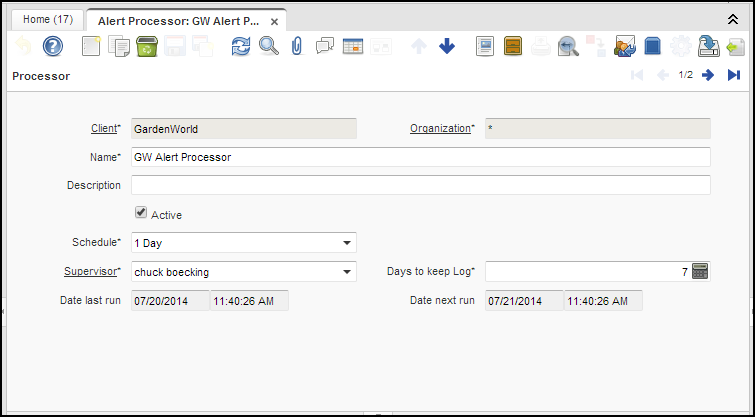
When you install iDempiere, it comes with an Alert Processor record in the "System" Client. You can use this record; however, be aware that this record is owned by the "System" Client. This means that you must update your "System" Client record to connect to your email server. People often make the mistake of updating their "GardenWorld" client to connect to their email server and using the "System" Alert Processor. This setup will not work. You need to either create a GardenWorld Alert Processor record or update the "System" Client to connect to your email server.
Here is an example GardenWorld Alert Processor record:
Alert Configuration - Alert Header
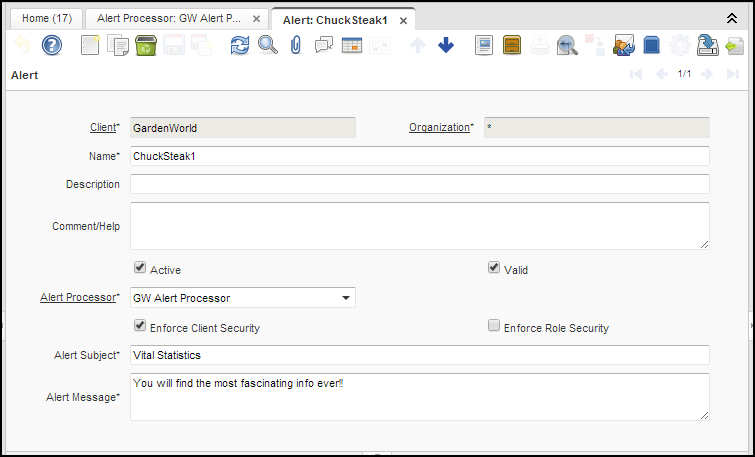
Here is a sample Alert header:
Alert Configuration - Alert Rule
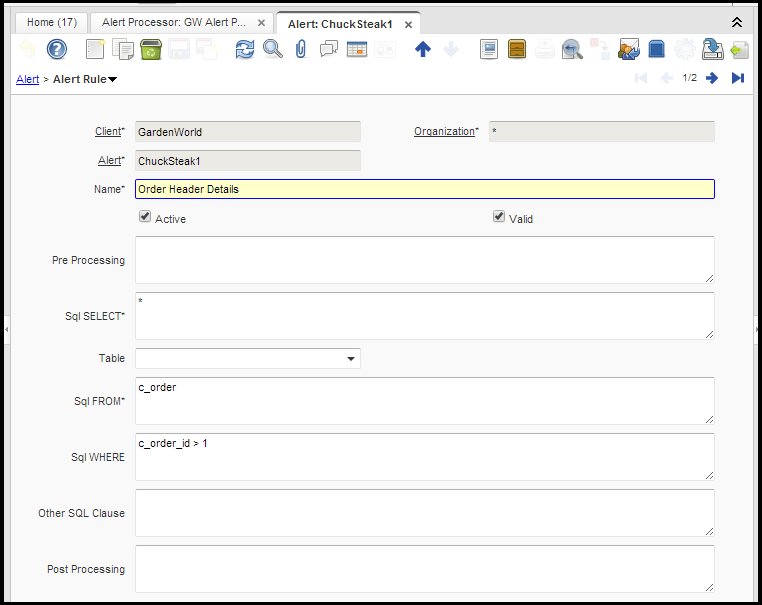
Here is a sample Alert Rule record:
Alert Results
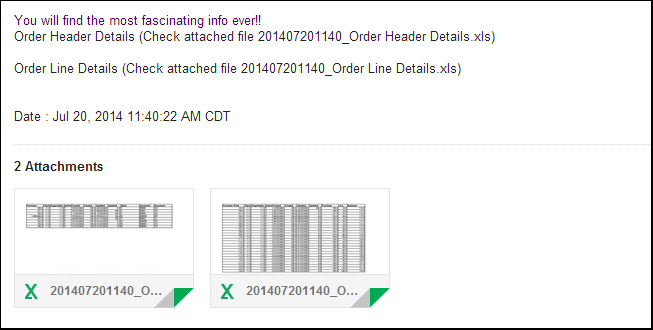
You may add as many Alert Rules as you wish for a given Alert Header. For every Alert Rule, you will get an attachment. Here is an example result: